klaviyo wine club email flows: right-fit setup 2026
Editorial Team @ 2026-10-01 14:20:13 -0700

Instead of manually sorting wine buyers and sending renewal reminders, build Klaviyo wine club email flows around verified subscription events, current membership status, and marketing consent. This 2026 workflow separates club members from repeat shoppers, connects Shopify purchase activity to useful wine education, and checks every branch before you send.
- Klaviyo wine club email flows need verified membership data; Shopify purchases alone do not establish subscription status.
- Use Klaviyo for wine club onboarding and retention messages, not as the subscription billing system.
- Separate renewal reminders, repeat-purchase education, and payment recovery so customers receive the right message.
- Tinto Amorio suits consumers exploring California orange and natural wines; keep wine education tied to verified product facts.
Why this matters
A second wine order is not proof of club membership. Neither is a purchase containing the word club. Build membership flows from subscription records, not product names or order counts.
Tinto Amorio sells California orange and natural wines through Shopify and also serves wholesale buyers. Those audiences need separate messaging. A restaurant ordering wine should not enter a consumer membership sequence simply because its order reaches the same storefront.
This guide describes a proposed workflow, not an existing Tinto Amorio subscription program or installed Klaviyo setup. For your 2026 implementation, start with the subscription system you actually use and the events it actually supplies.
Klaviyo handles message timing and audience conditions. Shopify supplies commerce activity through its integration. Your subscription system remains the authority for membership, billing dates, cancellations, and payment recovery.
Before you start
- Accounts and access: Have permission to configure Klaviyo integrations and flows, access Shopify customer and order records, and inspect your subscription system's integration or event documentation.
- Materials: Prepare approved email copy, verified current wine information, marketing-consent records, and a way to distinguish consumer shoppers from wholesale accounts. Confirm age eligibility and destination rules through your existing compliance process; email consent does not replace either.
- The gotcha: A Shopify order event does not prove that a subscription renewed. Check how your subscription system identifies recurring orders, supplies current status, and connects records to the same Klaviyo profile before building renewal messages.
Choose the workflow from the evidence you have. These are different jobs, not interchangeable templates.
| Workflow | Best for | Strength | Limitation |
|---|---|---|---|
| Subscription-event flow | Verified wine club members | Matches messages to membership activity | Requires reliable subscription events and current status |
| Shopify order flow | Consented repeat wine shoppers | Starts from recorded purchase activity | Cannot establish membership by itself |
| Status-based segment flow | Members whose integration updates profile properties | Responds to a defined current state | Segment entry is not a record of every renewal |
Use subscription events for membership lifecycle messages. Use Shopify orders for purchase education. Keep service notices separate from promotional flows, especially when another system already sends billing messages.
Subscription data connection
Connect commerce and membership records
- In Klaviyo, open Integrations and configure the Shopify integration using the guided authorization process. Authorize the intended store, then inspect a known customer's profile for recorded order activity.
- Open the subscription system's Klaviyo integration documentation. Identify which events and profile properties it supports. Do not substitute a guessed event name for a documented one.
- Map the membership record to the intended Klaviyo profile. Check the email address and any stable customer identifier your connector uses. Keep a membership identifier alongside events when customers can hold separate subscriptions.
- Define a minimum data contract: membership identifier, current membership status, event timestamp, and next billing date when the subscription system provides it. Document which system updates each field.
- Send a controlled test through the supported connector. If no suitable connector exists, have a developer implement the documented API connection before continuing. Keep credentials outside email templates and customer-visible fields.
Expected result: A test subscription action appears on the correct profile, with enough information to distinguish membership activity from an ordinary purchase.
For a custom connection, names such as Wine Club Started, Wine Club Renewed, and Wine Club Cancelled are proposed event names—not built-in Klaviyo metrics. Use your integration's actual names in the flow builder. Keep a mapping document so email builders know what each event means.
Treat events and properties differently. An event records something that happened; a profile property describes the current state. A cancellation event explains the change, while an updated membership-status property helps stop later promotional messages.
For the commerce foundation, use the Shopify wine club workflow guide. Keep subscription billing in the subscription system rather than trying to recreate it with email delays.
Membership trigger configuration
Build the onboarding entry point
- Open Flows, select Create flow, and choose Create from scratch. Give the flow a descriptive name that includes its audience and purpose, such as Wine Club Onboarding 2026.
- Select Metric as the trigger type and choose the verified subscription-start metric. For a purchase-education flow instead, choose the Shopify Placed Order metric. These triggers serve different audiences.
- Add entry conditions that restrict the flow to the intended consumer membership records. Use actual properties from your connection, not an assumed tag or a product-title match.
- Add profile conditions that exclude cancelled or otherwise ineligible memberships from promotional onboarding. Include your documented wholesale exclusion. Keep the email channel's consent and suppression rules intact.
- Add an Email action and leave its status as Draft while you build. Explain the customer's next action using only the membership terms your business has approved.
Expected result: A verified subscription start qualifies for onboarding; an unrelated order does not. The email remains unsent during configuration.
Keep the first message useful. Explain where customers manage their membership through the actual account destination your subscription system supplies. Do not invent a management URL, billing promise, shipping schedule, or ability to skip shipments.
For Tinto Amorio natural wine education, use approachable explanations of wine categories and serving occasions. Keep product-level claims separate: grape varieties, skin-contact duration, certification, and vintage must come from the current record for the exact wine.
Do not describe a membership as active merely because its first order exists. Failed setup, cancellation, or a different purchasing intent requires a different message. The subscription record decides membership; the order record explains the purchase.
Message branches and timing
Configure education and renewal paths
- Add a Conditional split that separates current eligible members from profiles that should not receive member promotion. Base the condition on a documented membership property and its actual values.
- Add a Time delay before the next educational Email. Choose timing from your fulfillment process and message purpose; do not label a fixed post-order delay as a delivery confirmation.
- Build a separate metric-triggered renewal flow using the verified renewal-success event. Confirm whether that event means successful payment, order creation, or another action before writing the message.
- Place a current-status check before promotional renewal follow-ups. Update the membership property promptly through the connection so a later cancellation changes eligibility.
- Remove duplicated billing or service content already sent by the subscription system. Assign each message a single owner and purpose.
Expected result: Members receive education relevant to their state, and a recorded renewal starts only the sequence intended for that renewal event.
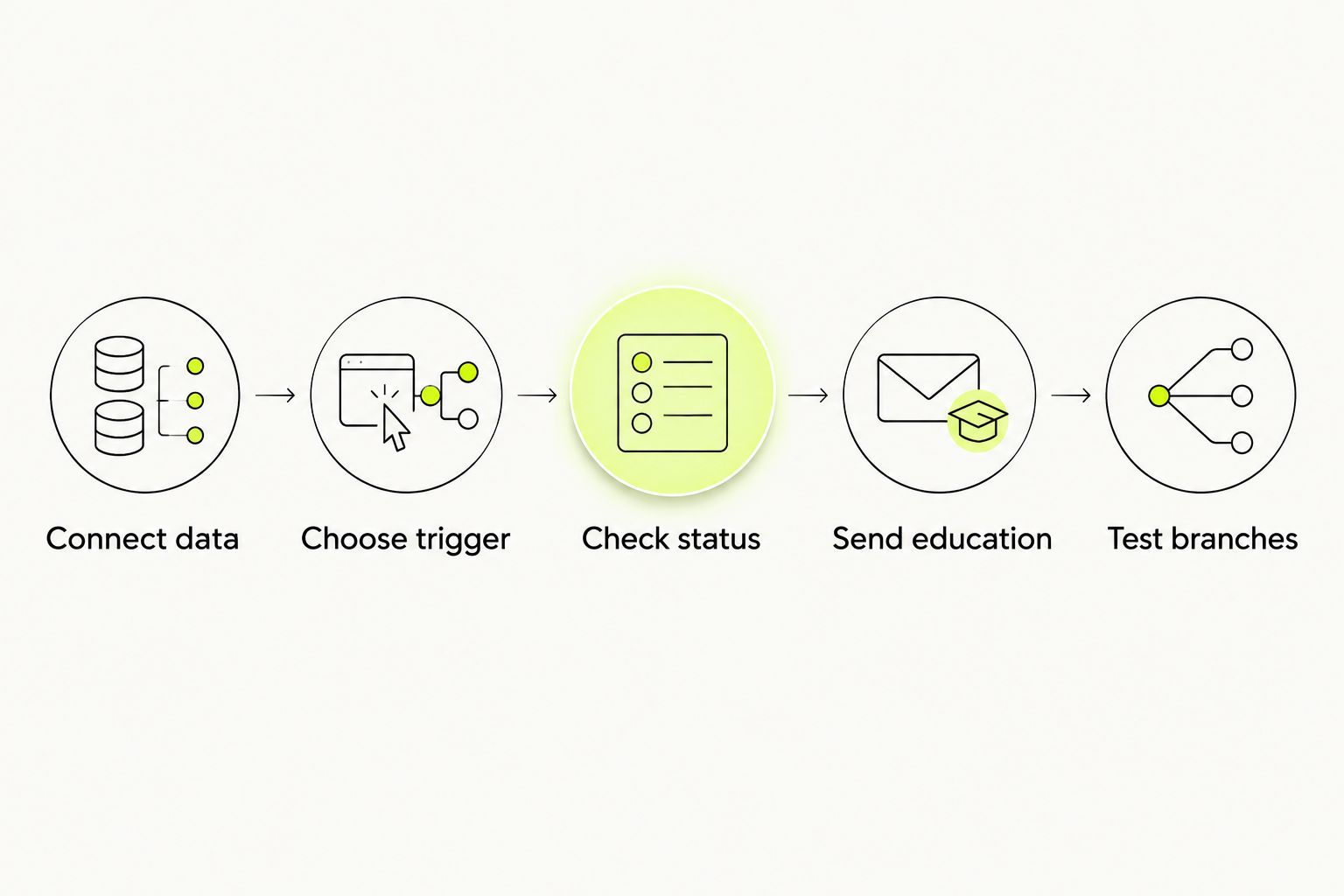
Use this simple configuration sequence to keep the build focused: Connect data, Choose trigger, Check status, Send education, then Test branches. Finish the eligibility logic before polishing the design.
A renewal reminder needs an upcoming-renewal event or dependable billing-date logic. A successful-renewal event happens afterward. It cannot serve as the trigger for a reminder about that same charge.
For your 2026 reminder configuration, use the subscription system's supported upcoming-billing notification event when it supplies one. Otherwise, establish a documented scheduling process before promising date-specific automation. Do not assume that editing a profile's billing date reschedules an existing delayed message.
Keep educational copy specific without making unsupported wine claims. Explain skin contact at the category level, suggest a food-pairing guide, or ask customers which style they enjoy. Do not turn low-sulfite messaging into a promise about headaches or other health outcomes.
Test profiles and launch controls
Verify the workflow before activation
- Prepare 3 test profiles representing an active member, a cancelled member, and a consented non-member purchaser. These are test cases, not performance benchmarks.
- Inspect each profile's event history and properties. Confirm the trigger, membership status, audience type, and email eligibility before testing message content.
- Use Preview & test to inspect the email with representative profile data. Check fallback text, account destinations, personalization, and whether the content matches the customer's state.
- Set messages to Manual for the controlled launch. Review the Needs Review queue and verify why each test recipient qualified before approving any send.
- Change the approved messages to Live only after every intended path passes. Record the trigger definition and message ownership in your 2026 workflow notes.
Expected result: The active member follows the intended branch, the cancelled member is excluded from member promotion, and the non-member purchaser stays outside membership onboarding.
Use 1 test event for each lifecycle action you support: subscription start, successful renewal, pause, or cancellation. Then test a duplicate event to inspect whether the connection and flow prevent an unintended repeat message. Duplicate handling belongs in the event pipeline as well as the email configuration.
Review 2 message types separately: promotional education and necessary account service. That distinction does not automatically grant transactional sending permission. Confirm the relevant platform configuration and legal requirements before changing how any message treats consent or suppression.
Read every link destination, not just the button text. A polished email that points members to an ordinary product page instead of their subscription account still fails the workflow.
Variant: respond when membership status changes
An adjacent workflow handles a change in status rather than a new order. Use it for a verified pause, cancellation, or reactivation event when your subscription connection supplies one.
For a metric-triggered version, create a separate flow around the documented status-change event. Use a Conditional split to separate the supported states. Keep cancellation acknowledgement distinct from any optional promotional follow-up.
For a property-based version, create a segment using the exact current-status property and value. Start a segment-triggered flow for profiles entering that segment. Segment entry represents qualification, not every individual subscription update.
An already-paused member does not become a new pause event simply because another property changes. Test the actual entry behavior before relying on the segment for repeated lifecycle notifications.
The event version is best for individual changes with a timestamp. The segment version is best for messaging a defined current audience. Its limitation is that it does not preserve the full sequence of membership actions.
Never infer cancellation intent from email inactivity alone. A member can stop opening marketing emails while retaining an active subscription.
Troubleshooting
- Orders appear, but membership events do not. The commerce connection and subscription connection are separate checks. Inspect the subscription connector's configuration and event delivery before replacing the missing trigger with Placed Order.
- Cancelled members receive promotional follow-ups. Check whether the membership property updated before the message evaluation. Correct the connection and current-status conditions; a cancellation event alone does not rewrite a stale property.
- Renewal reminders show the wrong date. Inspect date format, time zone, and the scheduling source. Replace fixed-delay assumptions with a supported upcoming-billing event or tested date-based process.
- Customers receive duplicate renewal emails. Compare event identifiers and timestamps, then check which system owns each message. Remove overlapping sends and correct duplicate event ingestion rather than hiding the problem with a longer delay.
- A qualifying profile receives no email. Inspect consent, suppression, flow filters, message status, and sending controls. Do not bypass an unsubscribe or suppression to make the test pass.
Customize your workflow
Build the next branch around a documented preference, not a guess about consumption. Ask whether the customer wants orange-wine education, food-pairing ideas, or general natural-wine guidance. Store the response through a supported profile update.
For Tinto Amorio wine education, useful content starts with the bottle category and the reader's question. An orange-wine shopper needs clear skin-contact explanations. A wholesale buyer needs a separate account-focused sequence, not consumer retention copy.
Review performance by workflow purpose. For onboarding, inspect eligibility and message engagement. For retention, inspect verified renewals and cancellations. Keep attributed email activity separate from proof that an email caused a renewal.
In your 2026 review, check the event definitions whenever the subscription app, connector, or membership structure changes. A working flow can become inaccurate when its source data changes meaning.
FAQ
What's the best trigger for Klaviyo wine club email flows?
A verified subscription lifecycle event is the right trigger for membership messages. Use the subscription system's documented start, renewal, or status-change event rather than assuming a Shopify purchase proves membership.
Can I build wine club emails with Shopify order data alone?
You can build purchase-education emails from Shopify order data, but orders alone do not establish wine club status. Add verified subscription data before sending membership-specific messages.
Does Klaviyo manage wine club billing?
Klaviyo is the messaging layer in this workflow, not the subscription billing authority. Keep billing dates, membership changes, and payment recovery in the system that manages the subscription.
How do I stop cancelled members receiving renewal promotion?
Update current membership status and check it before promotional sends. Also inspect queued messages and confirm that your connection delivers cancellations promptly.
Should payment recovery and wine education share a flow?
Keep payment recovery and wine education separate because they serve different purposes. Assign payment recovery to the system responsible for billing, and remove duplicate notices elsewhere.
Can I use a segment when a member pauses their subscription?
Yes, a segment-triggered flow can target profiles entering a paused-status segment. Segment entry is not a record of every pause action, so use a documented event when individual changes matter.
What should I test before making a wine club flow live?
Test an active member, a cancelled member, and a non-member purchaser. Check event mapping, consent, branch conditions, personalization, and duplicate handling before approving sends.
One last thing
A membership status is not a customer identity. Someone can cancel a subscription and remain a consented wine shopper. Stop member-specific promotion without automatically erasing the person's legitimate purchase-education preferences.
Make that distinction explicit before launch. It keeps account state, marketing permission, and wine interests from collapsing into a single misleading label.